
TurboTax: File Your Tax Return
Intuit IncFinance
4.064.95K Reviews
- Version
- 12.5.0
- Installs
- 10.00M
- Age Rating
- Everyone
Screenshots







Our Review of TurboTax: File Your Tax Return
 Analysis by Appyee
Tax filing is a stressful mix of personal paperwork, unfamiliar terms, and deadlines. I find a phone-based, guided approach appealing because it can break a large task into smaller questions instead of dropping a stack of forms in front of me. TurboTax: File Your Tax Return is a finance app from Intuit Inc, and its central strength is that conversational filing style. It suits people who want help organizing a return as they go, though it is not a substitute for understanding the choices they make.
Readability and navigation through a return
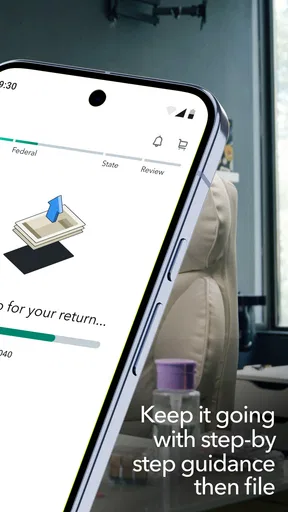
The app presents tax preparation as a sequence of prompts rather than one long document. In my experience, that can make it easier to focus: answer the question on screen, gather the relevant detail, and continue. The format is especially useful if you are filing a straightforward return and feel unsure where a particular piece of information belongs. Its average rating is 4.1 from around 320,000 ratings, and it has more than 10 million installs, so it is a familiar option in mobile tax filing.
That guided flow has a trade-off. A question-and-answer interface can feel approachable, but it may take longer than entering information directly if you already know the tax forms and terminology. I would use the prompts as a checklist, not as a reason to rush. Read each question carefully, check that the answer reflects your circumstances, and pause when the wording does not fit. A confident-looking progress screen is not the same thing as a return you have personally reviewed.
Motor and sensory considerations
For someone who finds long forms tiring, short prompts can make the task feel more manageable. Photographing a document instead of typing every line may also reduce repetitive entry when that workflow is available. Still, tax filing involves sensitive numbers and careful checking, so the app is not automatically easier for every motor or sensory need. Small details on a phone can be tiring to inspect, and taking a usable document photo may require steady framing and good visibility.
I would prepare in a calm, well-lit place, keep source documents within reach, and take breaks rather than trying to finish in one sitting. If reading on a phone is uncomfortable, a larger screen or a trusted person’s help with reviewing the information may be a better fit. The practical point is to choose the setup that lets you check figures accurately, rather than assuming a mobile interface will suit everyone equally well.
Situational access: where the app fits
TurboTax is free to download, rated for Everyone, and currently at version 12.2.1, with a minimum operating-system requirement of 10. It is aimed at filing taxes, so its value is seasonal and task-specific rather than something most people will open every day. The app has been available since December 18, 2014, and its store summary points to electronic filing and refunds. I would start early enough to collect documents and review answers without having to complete the whole job during a rushed evening.
A realistic use case is a person sorting tax papers after work: they open the app, follow the prompts, photograph a document where supported, then stop to compare the extracted details with the original before moving on. That last check matters. Document capture can save typing, but it does not remove the need to confirm names, figures, and other entries. For a basic return, the guided steps may be less intimidating than navigating tax forms alone; for unusual income or complicated circumstances, professional advice or a more suitable filing route may be worth considering.
Remaining barriers and useful trade-offs
Mobile convenience does not erase the underlying complexity of taxes. Questions may bring up details you need to look up, and entering personal financial information on a phone can feel uncomfortable if you share a device or are filing in a public place. I would avoid doing sensitive work where someone can see the screen, and I would not treat a refund estimate or a completed checklist as proof that every tax decision is correct. The careful reader still has an important role.
It is also worth distinguishing the app’s guided experience from the cost of completing a particular return. The app itself is free, but that does not mean every filing situation or service is necessarily free. The original version of this review described multiple plans and live expert help; I would check the current options inside the app before relying on either, rather than budgeting around an assumption. If you mainly need to submit a simple return and are comfortable doing the work yourself, compare the total cost and steps with other filing methods before committing.
Who I would recommend it to
I would consider TurboTax if you prefer being asked questions in plain language, want to handle tax preparation on a phone, and are willing to verify each answer against your documents. It may be particularly helpful when the hardest part is getting started and keeping track of what information to gather. People who already know their way around tax forms may find a direct-entry approach more efficient, while anyone with complicated finances, uncertainty about how a rule applies, or a strong need for hands-on personal guidance may be better served by a qualified tax professional.
Compared with paper forms, a guided app can organize the process and reduce the amount of manual copying, but paper may be easier for people who want to see a full return at once or avoid entering financial details on a phone. Compared with desktop tax software, a mobile workflow is convenient when documents are already at hand, yet a larger screen can make review and correction less tiring. I would choose the format that makes it easiest to inspect the whole picture, not simply the one that promises the fewest taps.
Getting Started with TurboTax
First things first, downloading TurboTax: File Your Tax Return is a breeze. Just a quick trip to the App Store or Google Play, and you're ready to roll. Once installed, the app kicks off with an intuitive setup process that guides you through creating an account or logging in if you've used TurboTax before. It feels like the app is holding your hand every step of the way, which is awesome, especially if you're not exactly a tax whiz.
User-Friendly Interface
The interface is sleek and user-friendly. As someone who tends to get overwhelmed with numbers and forms, I appreciated how everything was laid out so clearly. The app uses a simple Q&A format to pull out the info it needs from you. It’s like having a friendly chat with a tax expert right in the palm of your hand.
Features That Make Tax Filing Easy
One of the standout features is the ability to import your W-2s and other tax documents just by snapping a photo. This is a lifesaver. Gone are the days of manually inputting every detail. The app is smart enough to pull all the necessary data from your docs, saving you time and potential errors.
TurboTax also offers real-time updates on your refund status, which is super handy. You can track every step of the process, from submission to approval, without having to constantly check back in.
Helping You Maximize Deductions
Another thing that TurboTax does well is finding deductions. The app asks all the right questions to ensure you’re not missing out on any potential savings. It’s like having a mini auditor working for you, making sure you keep as much of your hard-earned money as possible.
Security and Support
Security is top-notch, with encryption that keeps your personal info safe. Plus, if you ever get stuck or have a question, TurboTax offers robust support options. You can access a live expert chat or even schedule a call if you need more personalized help. It's reassuring to know there's always someone to turn to if things get confusing.
Pricing and Plans
TurboTax offers several plans, ranging from free filing for simple returns to more comprehensive packages for those with complex tax situations. While some may find the premium options a bit pricey, the peace of mind and ease of use it offers can be worth the investment.
Final Thoughts
At the end of the day, TurboTax: File Your Tax Return is a solid choice for anyone looking to make tax season less daunting. It’s packed with features that cater to both newbies and seasoned filers alike. The ease of use, combined with its powerful tools for maximizing deductions and ensuring accuracy, makes it a must-have app for anyone looking to take control of their taxes with confidence.
My inclusive verdict
My overall view is positive, with one important qualification: the app can make the process easier to approach, but it cannot make every tax situation simple. Its guided questions, document-photo workflow, and refund tracking give a mobile filer practical ways to stay organized. I would recommend trying it when convenience and step-by-step prompts matter, while keeping a careful eye on the details and checking that the available filing option matches your needs.
For accessibility in everyday use, the strongest point is the chance to work through a return in smaller pieces and choose a quiet moment that suits you. The main limitation is that accuracy still depends on reading, handling documents, and reviewing financial details carefully. If those tasks are difficult on a phone, use a larger screen or seek appropriate assistance rather than forcing the mobile workflow. That balance makes TurboTax useful for many self-directed filers, but not the right choice for everyone.
Verdict
Strengths of TurboTax: File Your Tax Return
- User-friendly interface simplifies tax filing.
- Step-by-step guidance helps avoid errors.
- Supports various tax forms and situations.
- Mobile app syncs seamlessly with desktop.
- Offers audit support for peace of mind.
Limitations of TurboTax: File Your Tax Return
- Premium features require additional fees.
- Limited free version for simple returns.
- Occasional upsell prompts can be annoying.
- Customer support can be slow at peak times.
- Complex returns may need professional help.
Other Releases by Intuit Inc
View All
QuickBooks Workforce
Productivity4.7

Intuit QuickBooks for Business
Business4.7
Similar Picks in This Category
View All
Google Wallet
Google LLC4.3

Airtel: Recharge, Bank & Loans
Airtel4.0

PayPal - Pay, Send, Save
PayPal Mobile4.2

DANA Indonesia Digital Wallet
PT Espay Debit Indonesia Koe4.5

Binance: Buy Bitcoin & Crypto
Binance Inc.4.8

Cash App
Block, Inc.4.7
Frequently Asked Questions
What features does TurboTax offer for filing taxes?
TurboTax provides a comprehensive suite of features including step-by-step guidance, error checking, and support for various tax deductions and credits. It also offers live expert assistance, a maximum refund guarantee, and the ability to import your W-2s and other tax forms directly. This makes filing taxes straightforward and efficient.
Is TurboTax secure to use for filing sensitive tax information?
Yes, TurboTax is highly secure, employing encryption and multi-factor authentication to protect your sensitive information. The app follows stringent security protocols to ensure that your data remains confidential and protected from unauthorized access. TurboTax is designed to safeguard your personal and financial information throughout the filing process.
How user-friendly is TurboTax for beginners?
TurboTax is designed with user-friendliness in mind, featuring an intuitive interface that simplifies the tax filing process. Beginners will find the step-by-step guidance helpful, as it breaks down complicated tax jargon into easy-to-understand terms. Additionally, the app offers support tools and expert help to assist users with any questions they might encounter.
What support options are available if I encounter issues while using TurboTax?
TurboTax provides multiple support options, including a comprehensive FAQ section, live chat, and phone support. Users can also access TurboTax Live, which connects them to tax experts or CPAs for personalized assistance. The community forums are another valuable resource where users can find answers to common questions and share experiences.
Are there any costs associated with using TurboTax, and what are the pricing tiers?
TurboTax offers several pricing tiers to accommodate different tax filing needs. The Free Edition caters to simple tax returns, while the Deluxe, Premier, and Self-Employed editions offer more advanced features at varying costs. Each tier is designed to provide value based on the complexity of your tax situation, ensuring you only pay for what you need.
